Elevate Your Event Stationery with This Neutral Table Sign Mockup
Imagine you've poured hours into designing the perfect wedding table number or a beautifully crafted event menu. The typography is spot-on, the layout is balanced, and the information is clear. But how do you present this work to a client or showcase it in your portfolio? A flat, digital file on a plain background often fails to communicate the tactile, real-world elegance of your design. This is where a thoughtfully styled mockup becomes an indispensable tool, transforming a simple graphic into a compelling visual story. The right presentation can instantly convey the mood, quality, and professionalism of your work.
What Makes This Mockup Visually Appealing?
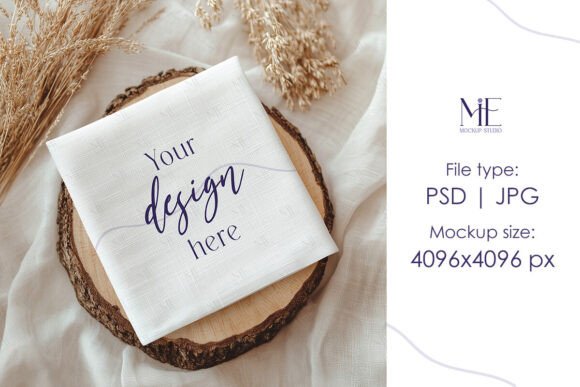
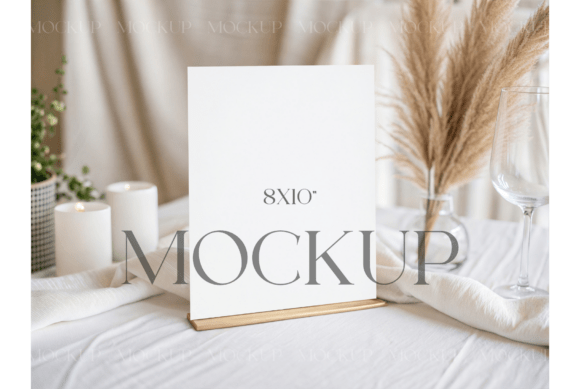
This specific Boho Minimalist 8x10 Table Sign Mockup is built on a foundation of contemporary, organic aesthetics. The setting is deliberately neutral, using a draped tablecloth as a soft canvas. The wooden card holder provides a natural, grounding element, while the dried pampas grass in a simple vase introduces texture and movement without overwhelming the scene. The white pillar candles add a touch of warmth and intimacy, suggesting a celebration or a cozy atmosphere. The overall composition achieves a modern bohemian feel—it's uncluttered and serene, yet rich with organic details. This clean and organic environment ensures that the focus remains squarely on your design, allowing it to shine without competing with a busy background.
Practical Applications for Designers and Entrepreneurs
The utility of a high-quality mockup extends far beyond simply showing a client their wedding stationery. For a graphic designer or a small business owner selling digital products, this asset is a versatile workhorse for your marketing and portfolio. Consider these real-world uses:
- Portfolio Presentation: Showcase your event stationery design services with context. A menu displayed in this mockup immediately tells a story about a romantic garden dinner or a minimalist barn wedding.
- Social Media Marketing: Create engaging Instagram posts, Pinterest pins, or Facebook ads for your Etsy shop or design studio. A styled image of your table number designs performs infinitely better than a simple graphic screenshot.
- Website & Blog Content: Enhance your service pages or blog posts about wedding trends. Use the mockup to illustrate articles on "Modern Boho Wedding Ideas" or "How to Style Your Event Signage."
- Client Proposals: When pitching a full stationery suite to a client, presenting the table numbers or menu in a realistic setting helps them visualize the final product, increasing their confidence and your perceived value.
- Digital Product Listings: If you sell printable designs on platforms like Creative Market or your own website, a compelling mockup image is your primary sales tool. It demonstrates the product's quality and potential application.
Enhancing Your Brand Identity and Professionalism
Consistency is the cornerstone of strong brand identity. Using a mockup like this allows you to maintain a cohesive visual language across all your touchpoints. The neutral, organic palette of this scene works seamlessly with a wide range of design styles, from minimalist serif fonts to elegant script typefaces. By repeatedly presenting your work within a consistent, high-quality context, you build a recognizable brand aesthetic. Clients and followers begin to associate that specific style and level of polish with your name. This professional presentation elevates your work from a simple digital product to a curated design solution, justifying premium pricing and attracting a clientele that values quality and attention to detail.
A Step-by-Step Guide to Seamless Customization
The true power of this asset lies in its ease of use. The included PSD file utilizes Photoshop's Smart Object technology, which streamlines the customization process. Here’s a straightforward workflow:
- Open and Prepare: Launch Adobe Photoshop and open the provided PSD file.
- Locate the Smart Object: In the Layers panel, you'll find a clearly labeled Smart Object layer—typically named something like "Your Design Here." Double-click on the thumbnail of this layer.
- Insert Your Graphic: A new window will open. This is your canvas. Simply drag and drop your table number, menu, or any other graphic file into this window. Use the transform tools (Ctrl/Cmd + T) to scale and position your design to fit the sign's dimensions perfectly.
- Save and Close: Once your design is aligned, save this file (Ctrl/Cmd + S) and close the window. Return to the main mockup file, and you will see your artwork seamlessly integrated into the scene, complete with realistic lighting and shadows.
- Export Your Final Image: You can now export your finished mockup as a high-resolution JPG or PNG for use online or in print.
Choosing the Right Design Elements to Pair
While the mockup provides a stunning backdrop, the success of the final image hinges on the design you place within it. This setting calls for typography and graphics that complement its minimalist, organic vibe. Consider these pairing ideas:
- Typography: A clean, modern sans-serif font would reinforce the minimalist aspect. Alternatively, a delicate, thin serif font could add a touch of classic elegance. For a more personal, boho touch, a subtle handwritten or script font (used sparingly for names or headings) pairs beautifully. The key is legibility and restraint.
- Color Palette: Stick to a muted, earthy color scheme. Think ivory, soft taupe, olive green, dusty rose, or charcoal gray. These colors will harmonize with the natural tones of the wood and pampas grass, ensuring your design feels integrated rather than pasted on.
- Graphic Elements: Simple line art, subtle botanical illustrations, or minimalist geometric borders can add interest without cluttering the design. Avoid overly bold or complex graphics that might fight with the serene background.
Ultimately, a tool like the Boho Minimalist 8x10 Table Sign Mockup is about more than just displaying a file. It's about crafting a narrative, demonstrating professionalism, and giving your creative work the context it deserves. By investing in quality presentation assets, you bridge the gap between a digital concept and a tangible, desirable product, making it easier for clients to see the value you provide and for your audience to connect with your brand's aesthetic vision.